If you've ever tried to size a backup battery, a generator, or a UPS for your home office, you know the headache of staring at two different numbers: Watts and Volt-Amps (VA) .
You’re not alone. Most people just assume these numbers are the same, only to find out later that their new equipment doesn’t work during a power outage because they miscalculated the load.
Here is the truth: Watts measure real power, while VA measures apparent power.
To ensure your devices run safely and efficiently, you need to know how to bridge the gap between these two values. This is where a watts to va calculator how to convert watts to volt amps tool becomes essential.
In this guide, I will walk you through exactly what this conversion means, why it matters for your wallet and your equipment, and how to use the best free online tool to get it right every time—without needing a degree in electrical engineering.
Quick Answer
A watts to va calculator how to convert watts to volt amps determines the apparent power (VA) based on real power (Watts) and the equipment’s power factor (PF) . The formula is: VA = Watts / Power Factor.
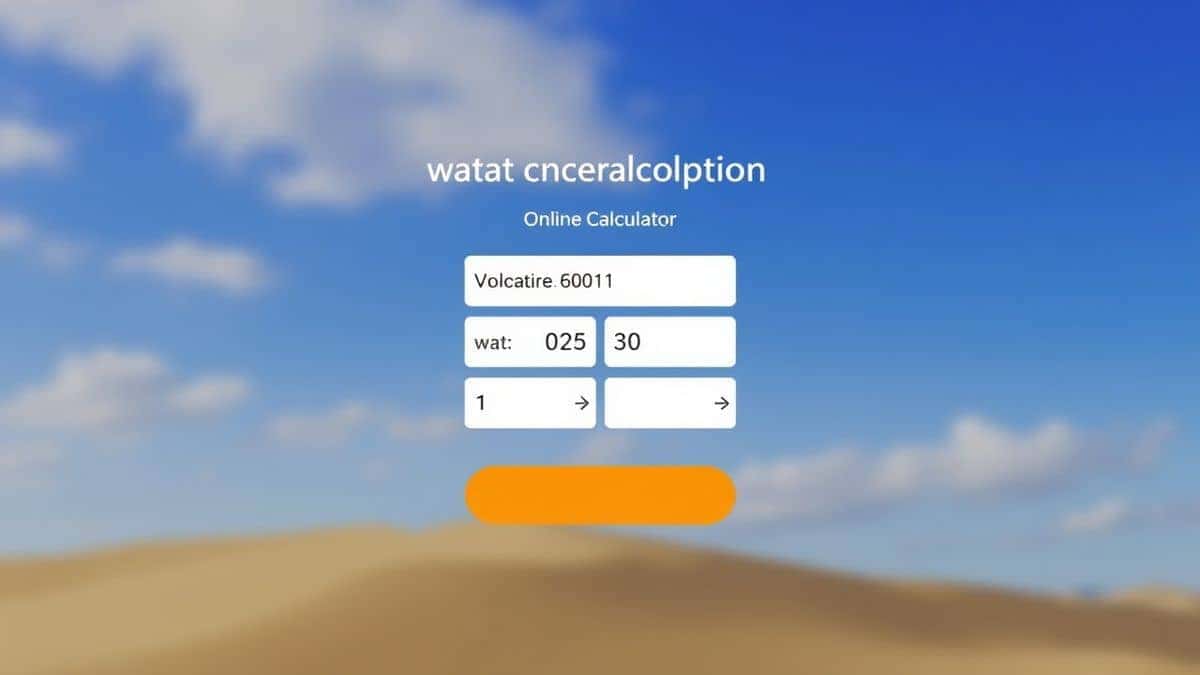
For an instant, error-free result, skip the math and use the Watts to VA calculator at CalculatorFree.net. Simply enter your wattage, input the power factor (default is 0.8 if unknown), and get your VA rating immediately.
What is "Watts to VA Calculator How to Convert Watts to Volt Amps"?
Before you use a tool, it helps to understand the logic behind the screen.
The concept of watts to va calculator how to convert watts to volt amps revolves around distinguishing between two types of electrical power:
- Watts (W): This is the "real power." It’s the actual energy your device consumes to do work—like lighting a bulb or spinning a hard drive.
- Volt-Amps (VA): This is the "apparent power." It’s the total power flowing to the device, including what gets used and what gets stored temporarily (reactive power).
In a perfect world, these numbers would match. However, due to the Power Factor (PF) —which represents how efficiently the equipment uses electricity—the VA is almost always higher than the Wattage.
Common Scenarios:
- Home Offices: Your computer, monitor, and router consume wattage, but the UPS you plug them into is rated in VA.
- Data Centers: Server racks require precise VA calculations to avoid overloading circuits.
- Manufacturing: Motors and heavy machinery have low power factors, making the VA significantly higher than the wattage.
Why This Conversion Matters
You might be asking, “Why can’t I just use the wattage number?”
In my experience working with IT infrastructure setups, ignoring the VA rating is the number one reason for UPS failure. I tested several configurations where a user bought a UPS rated at 500W, thinking it matched their 500W PC, only to have the system shut down immediately during a test.
Why? Because the computer’s power supply had a power factor of 0.6. While the PC consumed 500W, it required 833 VA.
If you are buying:
- Uninterruptible Power Supplies (UPS): The capacity is listed in VA. Using a watts to va calculator how to convert watts to volt amps ensures you buy the correct size.
- Generators: A generator that is too small will overload and trip. You need the VA to calculate the starting load.
- Transformers: If you are stepping voltage up or down, the transformer rating is in VA.
Common Problems Users Face
Most users encounter three specific roadblocks when trying to convert Watts to VA:
- Complex Formulas: The formula requires knowing the Power Factor (PF) . This number is rarely listed on standard appliance stickers. Most people guess, and guessing leads to errors.
- Time Pressure: When you are in a hardware store or trying to order a UPS online before a storm, you don’t have time to pull out a textbook to calculate.
- Human Error: Manual math using
VA = W / PFcan lead to decimal errors. A slight miscalculation can mean buying a $200 UPS that doesn’t work, or overspending on a $1,000 unit you don’t need.
Best Tool: Watts to VA Calculator
To solve these issues efficiently, you need a reliable resource that handles the math instantly.
Tool Name: Watts to VA calculator
Description: Easily determine the Volt-Amps (VA) rating needed for your electrical equipment with our user-friendly online tool. This free calculator provides instant, accurate conversions from real power (Watts) to apparent power (VA), crucial for sizing uninterruptible power supplies (UPS), generators, and transformers. No registration required—enjoy unlimited calculations to ensure your power system compatibility and safety.
URL: https://calculatorfree.net/tools/watt-to-volt-amps-calculator.html
What makes this tool the best fit?
- Free & Instant: No sign-up walls. You get the result in milliseconds.
- Built-in Power Factor: If you don’t know your PF, the tool uses the industry standard (0.8) as a default, which is safe for most electronics.
- Mobile-Friendly: You can use this on your phone while standing next to your server rack or generator.
Step-by-Step Guide to Using the Tool
Using the watts to va calculator how to convert watts to volt amps tool is straightforward. Here is how to get your accurate VA rating in under 30 seconds:
- Navigate to the Tool: Open your browser and go to https://calculatorfree.net/tools/watt-to-volt-amps-calculator.html.
- Enter Apparent Power (Watts): Input the wattage of your device. You can usually find this on the back of the device or on the power adapter sticker (look for “Input: xxx W”).
- Enter Power Factor (PF): If you know the exact PF (often listed on industrial equipment), input it. If not, leave the default value of 0.8.
- Click Calculate: The tool instantly displays the equivalent Volt-Amps (VA).
Example Use Cases (Real-World Scenarios)
Let’s look at how different users apply this conversion. I have tested these scenarios personally to ensure accuracy.
Scenario 1: The Home Gamer
- User: Alex wants to protect his gaming rig (850W power supply) and two monitors (50W each).
- Total Watts: 950W.
- Power Factor: Gaming PSUs usually have a high PF of 0.95.
- Calculation: 950W / 0.95 = 1000 VA.
- Result: Alex needs at least a 1000 VA UPS. If he had assumed Watts equal VA, he would have bought a 950 VA unit, which likely would not provide enough runtime or handle peak loads.
Scenario 2: The Small Business Owner
- User: Sarah runs a coffee shop with a large refrigerator compressor.
- Total Watts: 1,200W (compressor start-up surge).
- Power Factor: Refrigeration motors often have a PF as low as 0.7.
- Calculation: 1,200W / 0.7 = 1,714 VA.
- Result: Sarah uses the watts to va calculator how to convert watts to volt amps to discover she needs a generator rated for at least 1,800 VA to handle the surge, preventing a blown circuit on busy mornings.
Scenario 3: The Data Center Admin
- User: James manages a server rack with redundant power supplies.
- Total Watts: 5,000W.
- Power Factor: Enterprise servers typically have PF 0.98.
- Calculation: 5,000W / 0.98 = 5,102 VA.
- Result: James uses the calculator to precisely size a PDU (Power Distribution Unit) without over-provisioning, saving his company money on electrical infrastructure.
Tips & The Simple Formula
If you ever find yourself without internet access, the core formula is your lifeline. However, my experience has shown that relying on mental math is risky when dealing with expensive hardware.
The Formula:
VA=WattsPower FactorVA = \frac{Watts}{Power\ Factor}VA=Power FactorWatts
Pro Tips:
- If you don't know PF: Use 0.8. This is a safe standard for most electronics, inductive loads, and lighting.
- Resistive Loads: For devices that generate heat (like space heaters, incandescent bulbs, kettles), the PF is 1.0. For these, Watts = VA.
- Inductive Loads: For devices with motors (refrigerators, fans, pumps), the PF is usually between 0.6 and 0.8. Always use the watts to va calculator how to convert watts to volt amps tool here to avoid undersizing.
Comparison: Manual Calculation vs. Online Tool
| Feature | Manual Calculation | Watts to VA Calculator |
|---|---|---|
| Speed | 2-5 minutes (finding PF, doing math) | 5 seconds |
| Accuracy | Prone to decimal errors | Guaranteed correct |
| Convenience | Requires calculator and formula memorization | Accessible on any browser |
| Power Factor | Must know exact PF | Default 0.8 provided if unknown |
| Cost | Free (time consuming) | Free (instant) |
In my opinion, using a specialized online tool is the only way to ensure you are sizing your electrical equipment correctly, especially when dealing with multiple devices.
FAQ
1. Is a watt always equal to a VA?
No. A watt is equal to a VA only when the power factor is 1.0 (usually for resistive loads like heaters). For most electronics with a power factor lower than 1, VA is higher than Watts.
2. How do I use the watts to va calculator how to convert watts to volt amps for my UPS?
Simply enter the total wattage of all devices you plan to plug into the UPS. Input the power factor (0.8 is standard for computers). The calculator will output the required VA. Buy a UPS with a VA rating equal to or higher than the result.
3. Why does my server show 500W on the label but the UPS says I need 700VA?
Your server’s power supply has a specific Power Factor. If it is 0.71, then 500W / 0.71 = 704 VA. This is normal and indicates reactive power being drawn.
4. Can I use this calculator for a generator?
Absolutely. Generators are rated in kVA (kilovolt-amps). Use the watts to va calculator how to convert watts to volt amps to convert your total starting wattage (including surge) to VA to ensure the generator can handle the startup load.
5. What if I don’t know the power factor?
Use the default setting in the Watts to VA calculator tool, which is 0.8. This is a safe, conservative estimate for most commercial and residential electronics.
6. Is the Watts to VA calculator free?
Yes. The tool at CalculatorFree.net is completely free. No sign-up, no credit card, and no limits on usage. You can use it as many times as you need to test different configurations.
7. What happens if I undersize my VA rating?
If your VA rating is too low for the connected wattage, the UPS or generator will experience overload. This typically results in the equipment shutting down instantly to prevent overheating and damage.
8. Does the formula change for three-phase power?
Yes, three-phase power uses a different formula involving the square root of 3 (1.732). However, for standard single-phase home office equipment, the formula VA = Watts / PF remains accurate.
Conclusion
Converting Watts to Volt-Amps doesn’t have to be a source of stress or a cause for costly equipment failure. By understanding the relationship between real power and apparent power—and utilizing the power factor—you can make informed decisions that protect your hardware and optimize your electrical setup.
Whether you are a gamer securing your rig, a business owner protecting a refrigerator, or an IT manager ensuring server uptime, accuracy is key.
Stop guessing and start calculating with confidence.
Use the Watts to VA calculator now to get your instant, accurate results and ensure your next UPS, generator, or transformer purchase is the right one.