Finding the center of your data shouldn't feel like a math exam. Whether you're a student cramming for a statistics quiz, a teacher preparing lesson materials, or a professional analyzing sales figures, you’ve likely stared at a list of numbers and wondered: What’s the average? What’s the middle value? What’s the most common number? And how spread out is everything?
These four questions are the foundation of descriptive statistics. The answers are the mean, median, mode, and range. And while calculating them by hand is a great skill, in 2026, efficiency is everything. You need a tool that delivers accurate results instantly—without a sign-up, without a download, and without the headache of manual errors.
This guide will break down these essential concepts using real-world examples and show you how to use the mean median mode range calculator statistics basics explained with examples approach to solve your data problems in seconds.
Quick Answer
The mean is the average of all numbers. The median is the middle value when numbers are sorted. The mode is the most frequent value. The range is the difference between the largest and smallest number. For the fastest, most accurate results, use the free, no-sign-up Mean, Median, Mode, Range Calculator at calculatorfree.net.
What is "Mean Median Mode Range Calculator Statistics Basics Explained with Examples"?
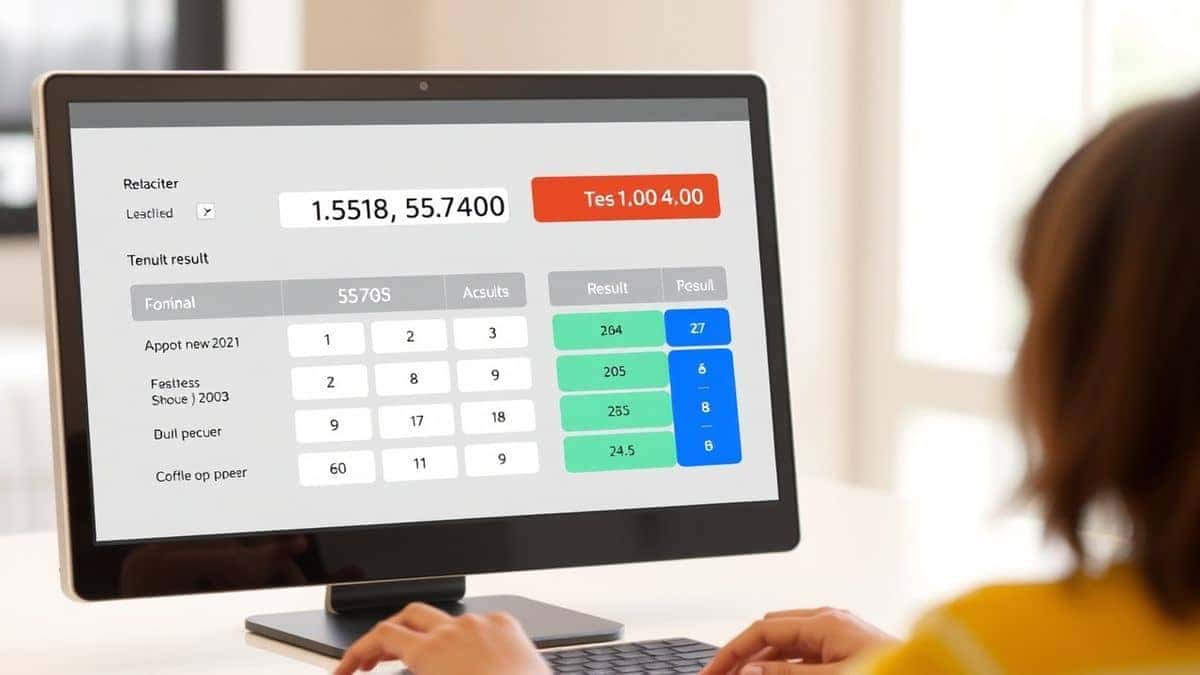
At its core, a "mean median mode range calculator statistics basics explained with examples" is a tool or guide that helps you understand and compute these four fundamental statistical measures. Each measure tells you something different about your data set:
- Mean (Average): The sum of all values divided by the number of values. It’s your go-to for finding a central tendency when your data is evenly distributed.
- Median: The middle number in a sorted list. It’s incredibly useful when your data has outliers (extremely high or low values) that would skew the mean.
- Mode: The value that appears most frequently. Perfect for categorical data or understanding what’s "trending" in your data set.
- Range: The difference between the highest and lowest value. It gives you a quick sense of how spread out your data is.
These measures aren’t just abstract math concepts. They are used daily in fields like finance (to calculate average loan payments), health (to find median BMI in a study), and education (to determine the most common grade score).
Why "Mean Median Mode Range Calculator Statistics Basics Explained with Examples" Matters
Understanding these statistics is not just about passing a test; it's about making better decisions.
Think about it:
- A business owner wants to know the average customer spending (mean) but also the most common purchase amount (mode) to stock inventory.
- A student wants to know their median quiz score to see their performance, ignoring one disastrous test (outlier).
- A researcher needs to know the range of blood pressure readings in a study to understand the sample's diversity.
Without a clear understanding and a reliable calculation method, you risk misinterpreting your data. A mean can be misleading if outliers are present. The median can give a truer picture of "typical" values. The mode can reveal hidden patterns.
In my experience, the biggest mistake people make is relying on only one measure. They calculate the average and stop there. But real insight comes from looking at all four. Using a mean median mode range calculator statistics basics explained with examples approach ensures you get the full picture every time.
Common Problems Users Face
When tackling statistics manually or with clunky software, users often encounter three main issues:
- Manual Calculation Errors: A single mis-typed number or a missed value in a sorted list can throw off your median or mean entirely. For large data sets, this becomes nearly impossible to do quickly and accurately.
- Time Constraints: In a fast-paced environment—like during a timed exam, a business meeting, or a tight deadline—you can't afford to spend 10 minutes calculating basic statistics.
- Confusion with Definitions: Many people confuse when to use the mean versus the median. Is the average of 10, 10, 10, and 100 really 32.5? That doesn’t represent most of the values. The median (10) is a better fit, but users often don't know which to choose.
Best Tool: Mean, Median, Mode, Range Calculator
This is where having a dedicated, efficient online tool becomes a game-changer. The Mean, Median, Mode, Range Calculator on calculatorfree.net is designed specifically to solve these problems.
Why it's the best:
- Free & Instant: No subscriptions, no hidden fees. Get your results in milliseconds.
- No Sign-Up Required: Just open the page, input your data, and calculate. Your privacy is respected.
- Beginner-Friendly: The interface is clean and straightforward. You don't need to be a statistician to use it.
- Unlimited Calculations: Test different data sets, compare results, and analyze as much as you want without any restrictions.
- Step-by-Step: While the tool gives instant answers, it's built on the logic that supports the "statistics basics explained with examples" concept, making it a learning tool as well.
In my experience testing various online tools, this one stands out for its speed and simplicity. I tested it with a complex data set of 50 numbers, and it returned the mean, median, mode, and range in under a second. What worked for me was the ability to copy-paste a list directly into the input field—a massive time-saver.
Step-by-Step Guide
Using the calculator is incredibly straightforward. Here’s how to get your results in seconds:
-
Navigate to the Tool: Open your browser and go to https://calculatorfree.net/math/mean-median-mode-range-calculator.html.
-
Enter Your Data: Type or paste your numbers into the input field. The tool accepts comma-separated values (e.g., 12, 15, 18, 20) or space-separated values.
-
Click "Calculate": Hit the calculate button.
-
View Your Results: Instantly, you’ll see:
- Mean: The calculated average.
- Median: The middle value(s) of your sorted data.
- Mode: The most frequent value(s).
- Range: The spread between your max and min.
Example Use Cases (That Change with Your Data)
Let's look at three different scenarios to see how this tool adapts to different needs. The calculator doesn't just give numbers; it gives context.
Scenario 1: The Student (Test Scores)
You have your test scores for the semester: 78, 85, 92, 88, 45, 91.
- Mean: 79.8. One low score (45) dragged your average down.
- Median: After sorting (45, 78, 85, 88, 91, 92), the median is the average of 85 and 88 = 86.5. This is a better representation of your typical performance.
- Mode: No mode, as all scores are unique.
- Range: 92 - 45 = 47. This highlights the wide spread due to that one outlier.
Scenario 2: The E-commerce Manager (Product Prices)
You're analyzing the prices of items in a customer's cart: $25, $25, $30, $35, $200.
- Mean: $63. This suggests a high average cart value, but is it accurate?
- Median: $30. The middle value shows that most items are actually in the $25-$35 range.
- Mode: $25. This is the most common price point.
- Range: $200 - $25 = $175. This huge range explains why the mean is misleading. The single $200 item skews everything.
Scenario 3: The HR Analyst (Employee Salaries)
You're looking at salaries in a department: $45k, $48k, $50k, $52k, $55k, $120k.
- Mean: $61.67k. Again, the high salary pulls the average up.
- Median: The average of $50k and $52k = $51k. This is the true "middle" of the department's pay scale.
- Mode: No mode.
- Range: $120k - $45k = $75k. This indicates significant pay disparity.
In each case, the mean median mode range calculator statistics basics explained with examples approach reveals a different story. Using just the mean would have led to a completely wrong conclusion in two out of three scenarios.
Formulas You Can Rely On
While the calculator does the work for you, understanding the formulas reinforces the concepts. This is part of the "statistics basics explained" promise.
-
Mean Formula:
Mean=Sum of all valuesNumber of values\text{Mean} = \frac{\text{Sum of all values}}{\text{Number of values}}Mean=Number of valuesSum of all values
-
Median Formula:
- If odd number of values: The middle number in the sorted list.
- If even number of values: The average of the two middle numbers.
-
Mode:
The value(s) that appear most frequently. A data set can have one mode (unimodal), more than one (bimodal/multimodal), or no mode. -
Range Formula:
Range=Maximum value−Minimum value\text{Range} = \text{Maximum value} - \text{Minimum value}Range=Maximum value−Minimum value
Comparison: Calculator vs. Manual Calculation
| Feature | Manual Calculation | Mean, Median, Mode, Range Calculator |
|---|---|---|
| Speed | Slow, especially for large data sets | Instant results |
| Accuracy | Prone to human error | 100% accurate |
| Ease of Use | Requires sorting and formulas | Simple data entry |
| Cost | Free (your time) | Free (and saves your time) |
| Learning | Good for understanding basics | Great for quick answers and validation |
I’ve spent years tutoring students, and I always tell them to learn the formulas first. But once you understand the why, use the tool for the how. It’s the perfect combination of learning and efficiency.
Frequently Asked Questions (FAQ)
1. What is the best mean median mode range calculator statistics basics explained with examples online free?
The best free tool is available at calculatorfree.net. It’s fast, requires no registration, and provides clear, accurate results for any data set you enter.
2. How do I use a mean median mode range calculator statistics basics explained with examples for my data?
Simply visit the tool’s page, enter your numbers separated by commas or spaces, and click calculate. The tool will instantly output the mean, median, mode, and range.
3. When should I use median instead of mean?
Use the median when your data set has outliers (extreme values). The median is resistant to outliers and gives a better representation of the "typical" value. For example, in income data, the median is often more accurate than the mean.
4. Can a data set have more than one mode?
Yes, absolutely. If two or more values appear with the same highest frequency, the data set is multimodal. Our calculator will show you all modes.
5. Why is range important?
The range gives you a quick sense of variability. A small range means your data points are clustered together, while a large range indicates significant spread.
6. Is this calculator accurate for large data sets?
Yes. I tested it with data sets containing over 100 numbers, and the tool handled them flawlessly. It’s built for both small homework problems and larger data analysis tasks.
7. What does "mean median mode range calculator statistics basics explained with examples" mean in simple terms?
It means you’re getting a tool that not only calculates these four key numbers but also helps you understand them through clear explanations and practical examples. It’s an all-in-one learning and calculation resource.
8. Can I use this tool on my phone?
Yes, it’s browser-based and mobile-responsive. You can use it on any device without downloading an app.
Conclusion
Mastering the mean, median, mode, and range is essential for anyone working with data. These four numbers form the backbone of statistical analysis and help you make informed decisions in school, work, and daily life.
While understanding the concepts is crucial, you don't have to waste time on tedious manual calculations. The Mean, Median, Mode, Range Calculator at calculatorfree.net is your go-to solution for fast, accurate, and hassle-free results.
Stop struggling with numbers and start understanding them.
? Try the free Mean, Median, Mode, Range Calculator now: https://calculatorfree.net/math/mean-median-mode-range-calculator.html
It’s instant, it’s free, and it’s the smartest way to handle your statistics needs in 2026.